
Plan your next tripone day at a time.
Rovely is a trip planner for iPhone. Save places, map your stops, and build a day-by-day itinerary.
See Rovely for iPhone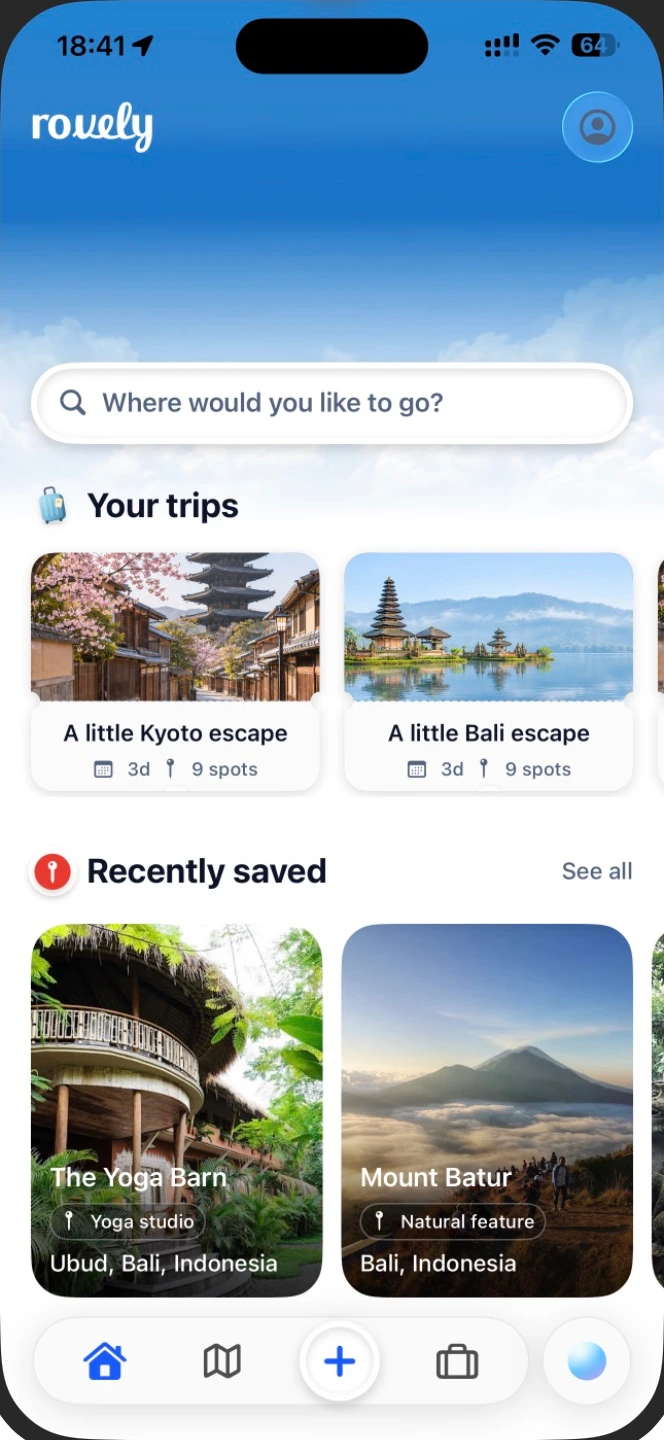
Build a plan around
the places you love.
Save a place that caught your eye
Paste a public Instagram or TikTok link, review the places Rovely finds, and save the ones you want to visit.
Find your saved places on the map
See where your picks are and spot the places you can visit together.
Build an itinerary for each day
Start with your own list or ask Rovely for a first draft, then arrange the stops your way.
Ask AI for a first draft
Tell Rovely where you’re headed, how long you’ll stay, and how you like to travel.
Start with a saved place, a destination, or an itinerary drafted by AI.
See Rovely for iPhone
Built to go
wherever you go
Your trip toolkit
- 2
- Video sources
- 1
- Map for your saved places
- 3
- Ways to start a trip
- iOS
- Built for iPhone
Frequently
asked questions
Can I save places from Instagram and TikTok?
Use a public Instagram or TikTok video link. After Rovely finds places from it, you can review them and choose what to save.
Can I build a trip itinerary from scratch?
Yes. Start a trip from scratch and add your own places, or ask Rovely to draft an itinerary.
Can I change an AI itinerary?
Yes. The itinerary is yours to edit. You can add places and replace stops as your plans change.
Where do my saved places go?
Find them in your saved collection and on your map. You can add them to a trip when you’re ready.
How do I start a trip?
Tap Create and choose to build a trip yourself, get help from AI, or import places from a video.
What device is Rovely built for?
Rovely is an iPhone app.
Save what inspires you.
Go where it takes you.